Cloud gaming vs. local gaming is a question many players face in 2026. Cloud gaming delivers streamed titles to devices over the internet, while local gaming runs games on a PC or console you own. This guide compares how each system works, real-world requirements, cost trade-offs, and lifestyle fit so readers can pick the setup that matches their priorities without wading through hype.
Principales conclusiones
- El juego en la nube ofrece acceso instantáneo a títulos sin necesidad de hardware potente, ideal para jugadores casuales y viajeros.
- El juego local en PC o consola brinda menor latencia y mayor control, siendo preferido por jugadores competitivos y coleccionistas.
- El costo del juego en la nube se basa en suscripciones recurrentes, mientras que el juego local requiere inversión inicial y actualizaciones periódicas.
- Para jugar en la nube se necesita una conexión sólida con al menos 20–35 Mbps y baja latencia para evitar retrasos y pérdidas de paquetes.
- Una combinación híbrida de juego local y en la nube puede ofrecer mejor balance entre control, costo y conveniencia.
- Elegir entre juego en la nube y local debe basarse en prioridades personales como latencia, costo, flexibilidad de dispositivos y propiedad de la biblioteca.
How Cloud Gaming Works: Pros, Cons, And Real-World Requirements
Fact first: cloud gaming streams game video from remote servers, removing the need for high-end local hardware. Players send controller input: servers render frames and send compressed video back.
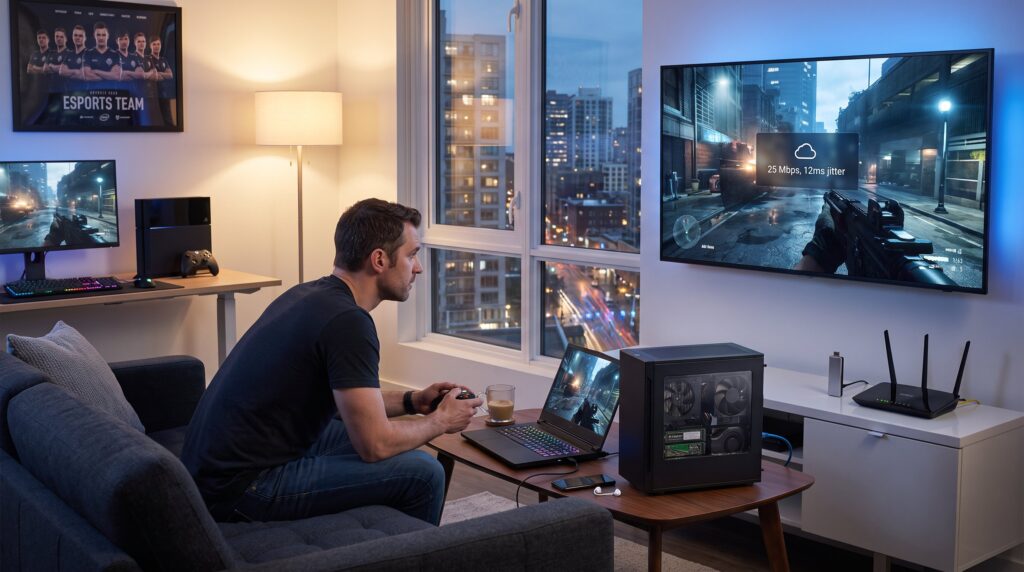
Why it matters now: in 2026 major services run matches on data centers with powerful GPUs and low-latency routing, so AAA titles play on a phone or cheap smart TV in many cities. Pros include near-instant access to new releases, no heavy downloads, and easy cross-device play. A tangible example: a modern streaming node can host multiple 4K sessions, but each 4K stream consumes 25–35 Mbps and sustained low jitter for a seamless process.
Cons are concrete: packet loss causes visible frame judders, 50–100 ms round-trip time (RTT) adds input lag compared with local rendering, and services can remove titles or change pricing overnight. Bandwidth caps matter, a typical 1-hour 1080p session uses roughly 7–10 GB.
Real-world requirements: a reliable wired or high-quality Wi‑Fi 6/6E link, a router with QoS to prioritize gaming packets, and 20–35 Mbps for 1080p/60 fps. Urban players on fiber see consistently better input latency than those on asymmetric copper. Rural players using mobile 4G will notice variable performance: fixed 5G or fiber reduces that variability.
Practical warning: cloud sessions require subscriptions and regional availability. For players who hate losing purchased libraries or waiting for servers, cloud play introduces new failure points, outages, region locks, and service changes.
Related reading: RevolverTech’s overview of how mobile and cloud trends shape the year provides context on infrastructure shifts and is useful for players tracking network rollout timelines: mobile and cloud.
How Local (PC/Console) Gaming Works: Performance, Upgrades, And Longevity
Direct answer: local gaming runs games on player-owned hardware, delivering lower input latency and predictable frame rendering when properly configured. Local systems render frames where the input arrives, so RTT is essentially the display and OS overhead, often under 10–20 ms for well-tuned PCs.
Performance details: a midrange 2026 gaming PC (roughly $1,000 build) commonly reaches 1440p/120 fps in many modern titles: a $2,000 rig targets 4K/60–120 fps. Consoles trade custom silicon for optimized game builds and stable performance, a console dev build often squeezes higher sustained frame rates out of less powerful silicon.
Upgrade path and longevity: PCs offer incremental upgrades, swap GPU, add RAM, or move to NVMe Gen4/5 storage. That flexibility extends life: a GPU upgrade can restore a five-year-old PC to modern standards. Consoles offer limited hardware upgrades but deliver a consistent, low-fuss experience.
Costs and ownership: upfront costs are higher for PCs, but ownership means no subscription to play single-player libraries offline. A quick concrete scenario: someone who upgrades their GPU every 3–4 years will spend roughly $300–$700 per upgrade cycle, whereas a cloud service subscription might cost $10–$15 monthly and add up over years.
Pitfall to note: local hardware ages and compatibility changes, a GPU driver update can break performance, and certain anti-cheat layers complicate older builds. For deep dives on build choices and upgrade math, see RevolverTech’s analysis of whether high-end upgrades pay off: upgrade analysis.
How To Choose: Cost, Performance, Latency, Library, And Lifestyle Considerations
Short answer: pick cloud if convenience and device flexibility matter most: pick local if input responsiveness, ownership, and long-term performance control matter.
Cost: cloud shifts expense to recurring subscriptions and sometimes game storefront fees. Local setups require an upfront capital outlay and periodic hardware refreshes. Example calculation: a $12 monthly cloud plan equals $144 per year: after 3 years that matches a midrange GPU replacement in some markets.
Performance & latency: local gaming gives lower and consistent input latency: cloud adds network variables. Competitive players chasing sub-30 ms input may prefer local rigs or elite consoles with direct connections. Casual players who prioritize visuals on a living-room TV can accept 50–80 ms if the game isn’t twitch-sensitive.
Library and ownership: cloud libraries change: local libraries stay in possession if they’re DRM-free or tied to owned hardware. Collectors and single-player completionists often choose local to guarantee access years later.
Lifestyle fit: apartment dwellers who game on multiple devices may favor cloud to reduce clutter. Families sharing a TV benefit from a cloud device or a living-room console with quick profiles. Travelling players who want AAA titles on a laptop or phone strongly benefit from cloud play.
Security and privacy: cloud services collect telemetry and session data: local play keeps more data on the player’s device. For those who require privacy, local is safer, but managing backups and anti-cheat risks remains necessary.
Context and further reading: for infrastructure trends that affect choice, RevolverTech’s piece on gaming tech’s broader reach helps place decisions into industry momentum: gaming tech influence.
Practical Scenarios And Clear Recommendations Based On Player Type
Quick verdicts upfront: the right pick depends on playstyle, competitive, casual, traveler, or budget-conscious.
Competitive player (eSports, FPS, racing): local gaming is recommended. Reason: consistent sub-20 ms input and the ability to tune hardware and displays. Concrete setup: wired Ethernet, 144–240 Hz monitor, and a mid-to-high-tier GPU. Read hardware tuning tips in RevolverTech’s engineering piece for performance-focused readers: engineering challenges.
Casual player (story games, open-world exploration): cloud gaming is attractive for instant access and device flexibility. A vivid example: a commuter using a tablet can resume a 60 GB single-player title without downloading it. Recommendation: choose a 30-day trial, test your home network with a speed and jitter test, and watch for data caps.
Budget player (low upfront funds): cloud reduces initial expense but watch long-term subscription costs. If monthly budgets are tight, balance a secondhand console or a low-end PC with selective cloud subscriptions for demanding titles.
Traveler or multi-device user: cloud gaming fits best. Example: a content creator who switches between phone, hotel TV, and laptop will save hours by avoiding installs and file sync.
Collector and archivist: local ownership is preferable. Players who value boxed editions, mods, or emulation should invest in a local library and backup strategy. For guidance on finding reliable reviews and updates when buying, consult RevolverTech’s review checklist: reliable reviews.
Mixed setups: a growing practical choice is hybrid, keep a modest local rig for competitive or offline needs and use cloud for convenience titles. For how to choose a platform initially, check the RevolverTech beginner guide: platform choices.
Conclusion: Picking The Setup That Matches Your Priorities
Recommendation: match choice to measurable priorities, latency numbers for competitive play, monthly cost for budget planners, and device flexibility for travelers. Players who want both control and convenience should consider a hybrid setup: a modest local machine plus a cloud subscription.
Final practical note: track local network metrics (jitter, packet loss, RTT) during a 30-minute test session before subscribing. For ongoing updates and gear advice relevant to these choices, RevolverTech’s hub consolidates guides and player news and is a useful follow-up resource: gaming hub.