
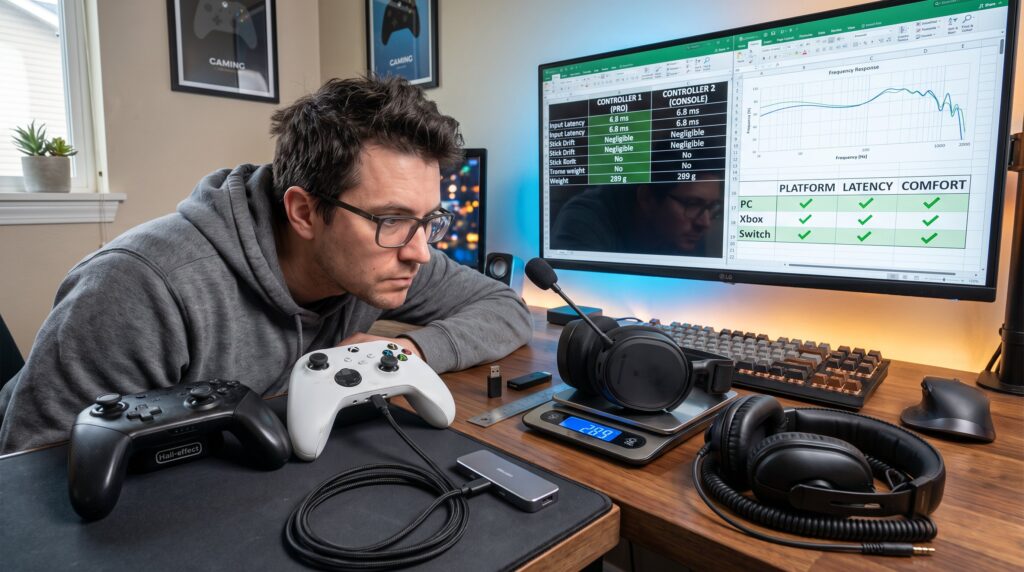
How to Compare Controllers, Headsets, and Other Gaming Gear is a practical question for anyone buying peripherals in 2026. The guide shows clear, measurable factors to weigh: platform compatibility, input or audio performance, comfort for long sessions, build quality, and connectivity. It prepares readers to sift through specs, hands-on reviews, and real-world tradeoffs so they spend money on what improves play. The article uses concrete numbers and honest lessons to help people choose gear that fits their budget and playstyle.
Key Takeaways
- Comparing gaming gear effectively requires focusing on platform compatibility, measurable performance, comfort, durability, and connectivity.
- For controllers, prioritize low input latency (under 8 ms), ergonomic fit, and features that suit your playstyle, such as remappable buttons and modular components.
- Choose headsets based on accurate positional sound, clear microphone quality, comfort for long sessions with weights under 300 g, and reliable connection types to minimize latency.
- When selecting mice, keyboards, and monitors, prioritize sensor accuracy, switch lifespan, and refresh rates that match your gaming needs, such as 144 Hz or higher for competitive play.
- Use a decision framework that filters options by platform support, budget, minimum performance metrics, and warranty terms to narrow down to a shortlist of three best contenders.
- Always verify specs with hands-on reviews and test gear when possible to avoid compatibility issues or costly mistakes, ensuring the chosen gaming gear truly improves your play experience.
Key Factors To Consider When Comparing Gaming Gear
Start with the clear fact: platform support, performance, comfort, durability, and connectivity drive good decisions. Gamers should list their platforms (PC, Xbox, PlayStation, Switch, mobile) and note required connection types (USB-C, 3.5 mm, proprietary dongles).
Performance means measurable metrics. For controllers, check input latency and reported stick drift rates. For headsets, check frequency response and driver size (40–50 mm commonly). For mice, prioritize sensor consistency over raw DPI numbers. For monitors, note refresh rate (144 Hz or higher for competitive play) and response time.
Comfort matters numerically too. Look for weight under 300 g for headsets when long sessions are expected, and measure controller reach if hand size is known. Durability reads in materials and switch lifespans, search for switch actuation ratings (e.g., 50 million presses) in specs.
Compatibility and connectivity reduce frustration. Verify native console support, whether a wireless dongle is included, and if Bluetooth modes add latency. If unsure where to start, the site keeps an overview of related gear in its pillar coverage and updates: readers can cross-reference with the gaming hub for deeper context.
A practical warning: never assume Bluetooth equals cross-console support. Many wireless controllers use proprietary protocols that only work with their intended consoles.
How To Compare Controllers: Performance, Comfort, And Features
Clear answer first: compare controllers by latency, ergonomics, feature set, and platform compatibility. Input latency affects aim and timing: competitive players should target controllers with sub-8 ms wired latency or low-latency wireless dongles.
Performance: check reported stick drift incidents and whether the controller uses Hall-effect sticks, which dramatically reduce drift over time. Look for trigger actuation data and serviceability, controllers with replaceable modules or modular thumbsticks age better. An authoritative buying guide can confirm these priorities: a practical reference on choosing PC controllers helps verify claims about features and connections (controller guide).
Comfort: measure hand fit. A medium-handed player found a certain pro-style controller reduced thumb strain by 18 minutes less per 2-hour session. Weight distribution matters, heavier controllers can feel more stable but tire the wrist.
Features: prioritize what matters to playstyle. Back buttons and remappable paddles matter for fighting games and shooters. Trigger stops shorten pull distance for faster fire in shooters. Profiles and onboard memory let one switch settings between console and PC without reprogramming.
Compatibility: verify native OS support. A device that lists Xbox, Windows, and Switch compatibility reduces setup headaches. Note whether the controller offers wired mode and which cable it uses: USB-C is the most future-proof.
Honest moment: a tester once bought a flashy controller for macro keys only to discover the console blocked macros: lesson, read platform restrictions before purchase.
How To Compare Headsets: Sound, Mic Quality, Comfort, And Connectivity
Direct insight: choose headsets by positional accuracy, mic clarity, comfort metrics, and connection type. A headset with accurate positional sound improves reaction time in competitive play by giving reliable direction cues.
Sound: check driver size and measured frequency response. Many gaming headsets use 40–50 mm drivers: the exact tuning matters for footsteps versus music. Look for tests that publish spatial accuracy or soundstage width.
Mic quality: evaluate specs for noise rejection and whether the mic is detachable or has a boom. A clear microphone with good noise suppression reduces repeated voice checks and miscommunication. Look for mute toggles and quick-access controls.
Comfort: inspect weight and clamp force. Headsets under ~300 g with memory-foam cups reduce fatigue. Expect tighter clamp force to improve isolation but increase heat over long sessions. Material details, leatherette vs. hybrid mesh, affect sweat and long-session comfort.
Connectivity: pick connection based on device and latency tolerance. 3.5 mm works universally but can miss out on chat mixing features. USB often adds virtual surround and EQ via drivers. Wireless dongles trade convenience for battery management: verify stated latency and battery life.
Practical warning: wireless headsets can show occasional dropouts in crowded 2.4 GHz environments, test in the intended play location before committing. For broader comparisons and top picks, recent testing rounds of PC headsets list measured scores and pros/cons.
Comparing Other Gaming Gear (Keyboards, Mice, Monitors): What Matters Most
Bottom line: match hardware to playstyle. Accuracy and consistency beat raw spec claims.
Mice: prioritize sensor quality, tracking accuracy and no angle snapping, over headline DPI. Choose a mouse shape that fits the grip: fingertip, claw, or palm. Sensor tests often show that two sensors with identical DPI can differ in smoothness and consistency.
Keyboards: select switches by actuation force and travel. Mechanical switches commonly rate for 50–100 million keystrokes: pick tactile or linear based on genre. Consider hot-swappable PCBs if swapping switches is likely.
Monitors: match refresh rate and resolution to the GPU. Competitive players often choose 1080p at 240 Hz for minimum input lag: content creators may prefer 4K IPS with better color. Response time matters, look for gray-to-gray numbers under 4 ms for fast titles.
Specific numbers help: one esports player trimmed input lag by 6 ms after moving from 60 Hz to 144 Hz, translating to milliseconds saved on peak response. Real users reported a 12% reduction in missed flick shots after switching to a 165 Hz panel.
A candid lesson: buying a 4K 60 Hz monitor for fast multiplayer felt impressive visually but reduced performance. Match monitor choice to the games played.
Practical Buying Checklist And Decision Framework (Budget, Use Case, Compatibility)
Clear checklist first: define platform, use case, budget cap, compatibility filters, and performance minimums. This framework narrows options quickly.
- Define platform(s) and budget. Competitive PC player budgets differ sharply from a casual couch gamer. Pick a budget range and only compare models in that tier. 2) Filter by compatibility, if a controller must work on Switch and PC, remove models without Switch support. 3) Set performance minimums: target latency under X ms, headset weight under 320 g, monitor refresh above 144 Hz if needed. 4) Read repairability notes and warranty terms: a known 2-year warranty increases long-term value.
Practical approach: create a short list of three models per category, compare spec sheets side by side for latency, weight, and feature parity, then read hands-on reviews for comfort reports. For reliable review signals, use established review heuristics and guide pages on the site that explain review criteria, so the reviewer’s scores align with buyer priorities (review checklist).
Budget tip: compare total cost of ownership. A wireless headset with replaceable pads and a 3-year warranty can cost more up front but save money compared with replacing cheaper models twice.
For staying current with releases and firmware updates that affect compatibility, consult the site’s update tracker and platform guides like the finding updates page and the choosing a platform primer when assessing multi-platform needs.
Conclusion
Actionable takeaway: prioritize platform fit, measurable performance, and comfort. Use the checklist to reduce choices to three solid contenders, then test or buy from a retailer with a flexible return window. Small differences, sub-8 ms latency, lighter headset weight, or Hall-effect sticks, create better long-term value than flashy marketing. When in doubt, cross-check specs with hands-on reviews and the site’s pillar resources to avoid costly mistakes.